
Цю сторінку показано англійською. ← Посібники
Move files and use folders
Keep your files in folders you can find again.
Before you start: At least one file in My files.
In this guide
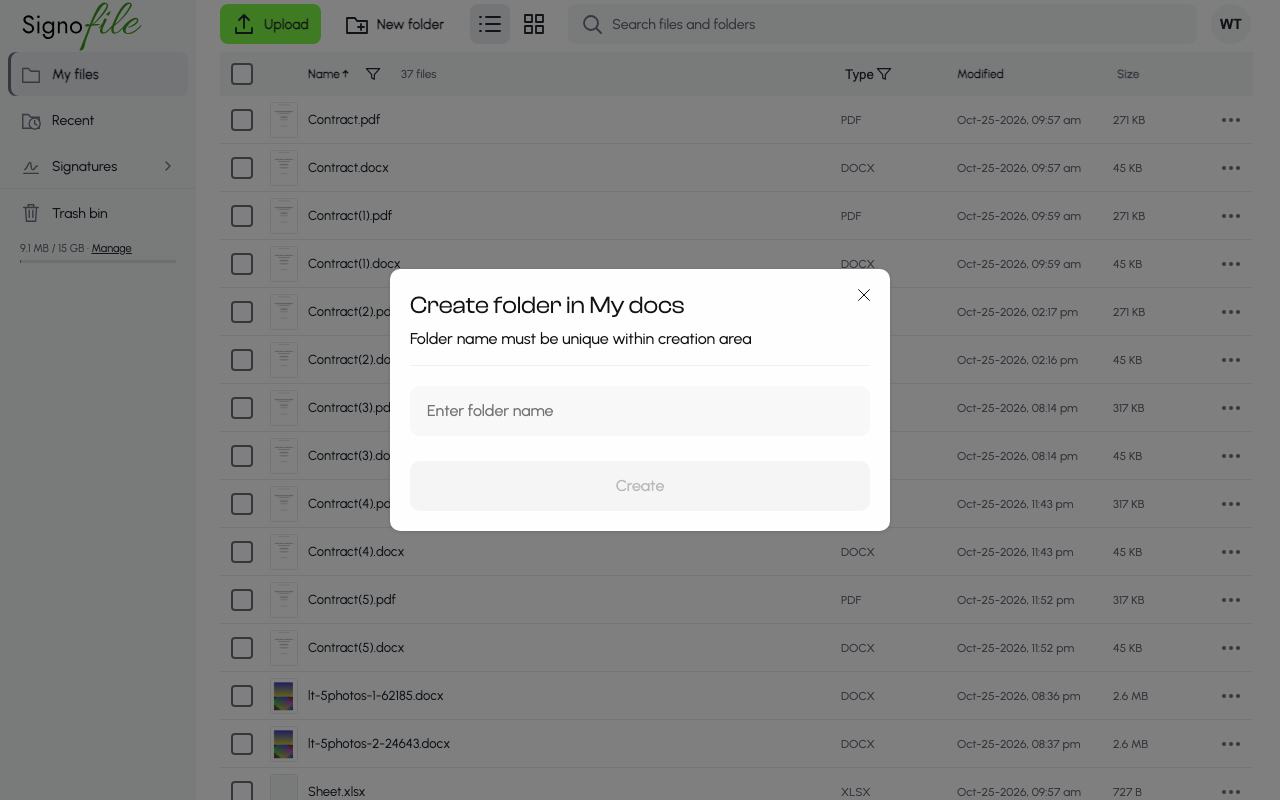
1. Create a folder
Choose New folder in the top line, next to Upload, type a name in Enter folder name and choose Create. The name must be unique where you create the folder.
2. Open the file menu
On the file you want to move, choose the three-dot button on its row. The menu has Open, Print, Email, Download, Rename, Move, Convert to PDF and Move to bin.
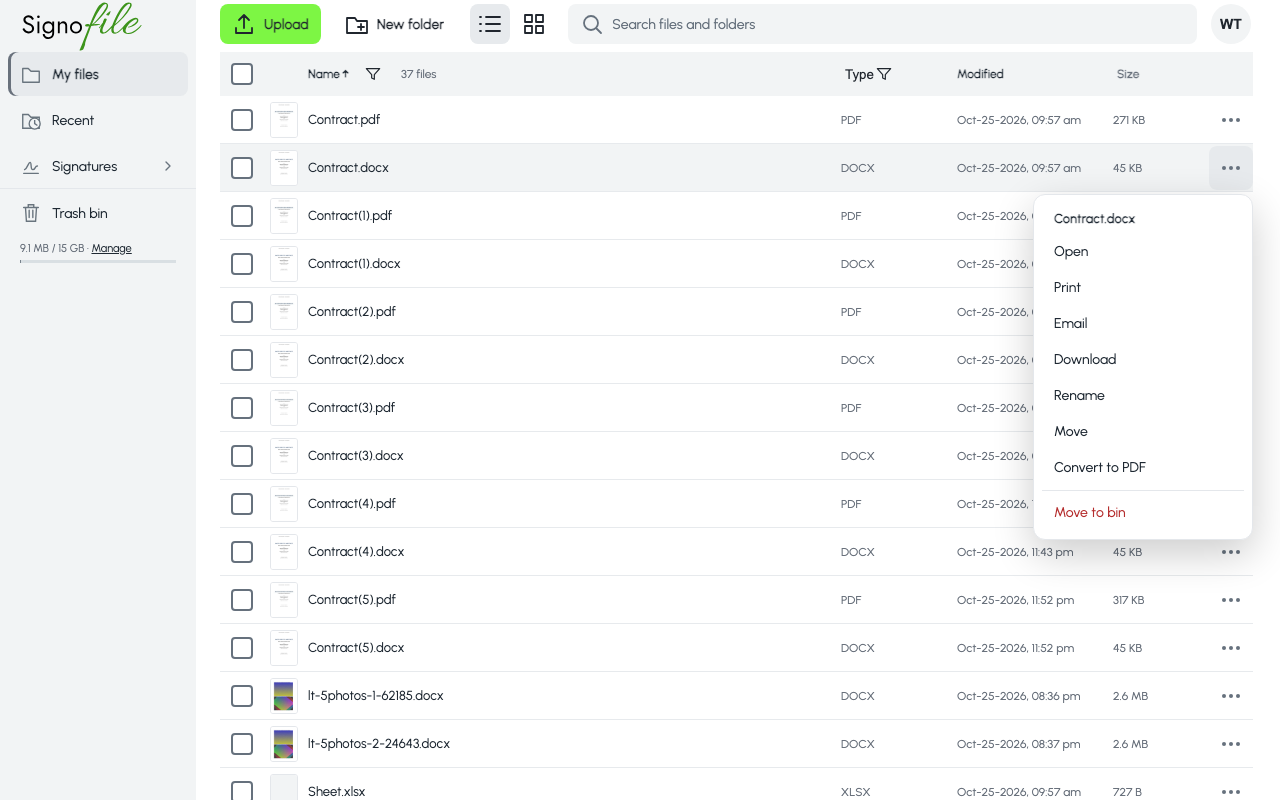
3. Move it
Choose Move, pick the destination folder and confirm with Move to. A message says File was moved; you can undo it from the message. To move several files at once, tick them: the top line shows how many are selected, with Move and Trash.